dhgate Lamp Spreadsheet vs Google Sheets
dhgate Lamp Spreadsheet vs Google Sheets
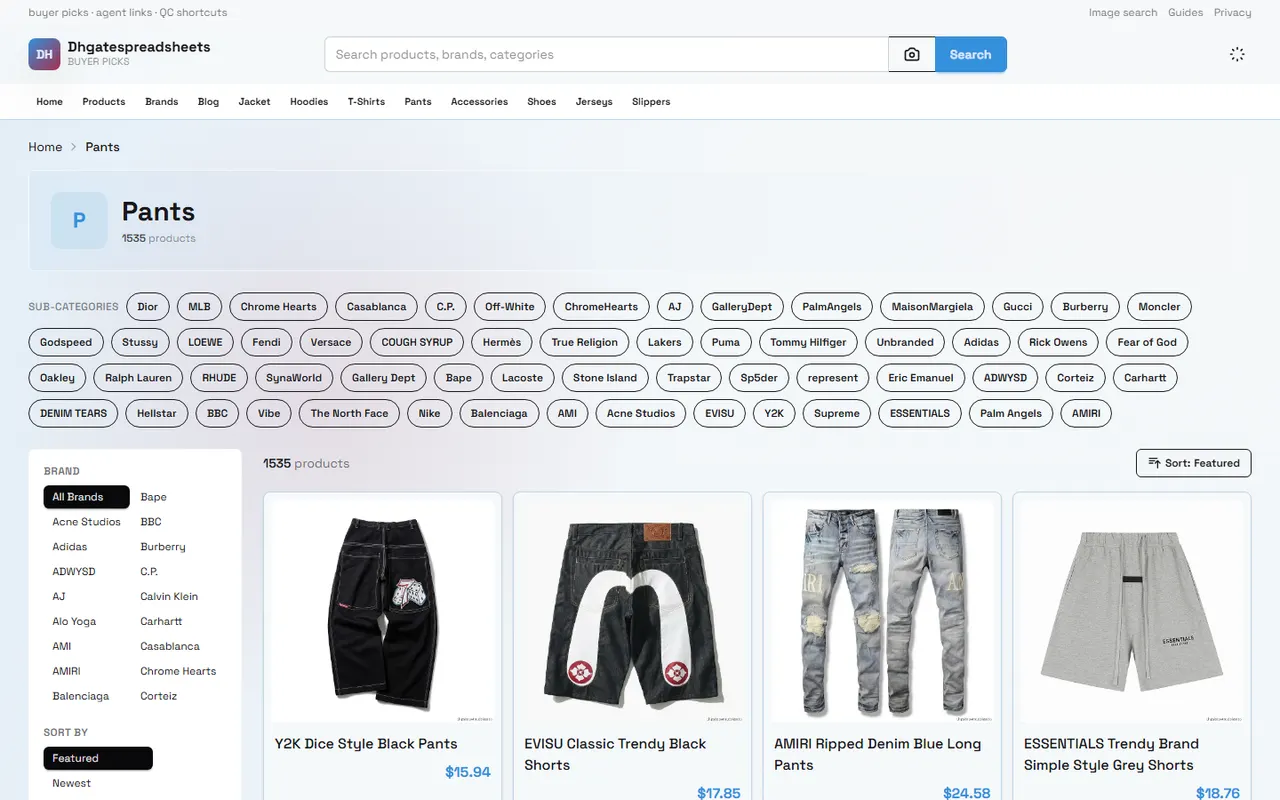
dhgate Lamp Spreadsheet vs Google Sheets: Mobile Filtering and Back Navigation
When looking for lamps on your phone, the real challenge is often not seeing the products, but keeping the candidates and continuing to compare after going back to search results. Page filtering, image preview, spec recording, link opening, and back navigation all affect whether you can finally complete a candidate list that's worth further review.
This article addresses one specific task: comparing the lamp browsing entry on dhgatespreadsheets.net with Google Sheets for organizing, to help you choose the workflow that's more suitable for mobile. By the end, you should be able to build a lamp candidate list with product links, images, specs, price verification status, and next actions.
This article does not apply to users who have already completed ordering, warehouse inspection, combined shipping, or after-sales handling, nor does it treat any price, stock, seller, coupon, or shipping condition that hasn't been individually opened and verified as current fact. 🛒
Clarify the Task and Device for Mobile Lamp Filtering
Mobile lamp filtering typically involves four consecutive actions:
First discover products that fit the purpose, such as bedside lamps, desk lamps, ambient lamps, or dimmable lamps.
Use keywords, categories, price range, or other visible conditions to narrow down.
Open candidate products to check images, dimensions, materials, bulb specs, plug, and seller information.
Return to the results page to continue viewing the next item and save products worth rechecking.
The problem becomes more obvious if the device screen is small. Product titles may be truncated, filter conditions may require horizontal scrolling, and the back button may return to the top of the page or reset filters. Therefore, when choosing a tool, you can't just look at "can it save data"; also see if it reduces repeated back navigation and re-verification.
It's recommended to first determine the following conditions:
Is the device a phone, tablet, or a mix of phone and computer.
Do you need to quickly discover products, or maintain a candidate list long-term.
Does the lamp involve plug type, voltage, bulb socket, and destination country compliance requirements.
Do you need multi-person collaboration, sorting, notes, and subsequent status tracking.
Can you accept opening product pages one by one to confirm information, rather than relying only on list summaries.
What Browsing Entries Does the dhgate Website Spreadsheet Provide
On dhgatespreadsheets.net, it should first be treated as a website-spreadsheet entry for browsing and organizing product leads, not as a conclusion library that automatically verifies products for you. In actual use, the focus is on observing whether the platform page provides clear product lists, category entries, search fields, product links, and detail pages that can be opened further.
For mobile users, the advantages of such an entry may be: candidate products are already displayed centrally by some field, so users don't have to start entering from a blank spreadsheet; if the images, titles, and links in the list are organized clearly, quick browsing will save steps; when in-site navigation can retain current filter conditions, the back operation may also be smoother than browsing external pages one by one.
But each candidate product should still be checked individually. At least confirm:
Is the product name clear, not just a vague label.
Does the link open a valid product page, not a redirect, empty page, or category page.
Does the image correspond to the current product, not a generic image of similar products.
Does the page show dimensions, material, lighting mode, socket, or other information sufficient to judge usefulness.
Are price, stock, seller, shipping, and discount conditions marked with a verification date.
If this information only appears in the list summary, you can't infer that the product page necessarily has the same information. For lamps, plug, input voltage, and bulb specs especially cannot be guessed from images. 🔎
How Google Sheets Builds a Lamp Candidate Column
Google Sheets is more suitable as the user's own organizing layer. It does not automatically prove product information is correct, but it can pin scattered observations in the same row for sorting, filtering, supplementing, and reviewing.
On mobile, it's recommended to start with a small number of columns that have action value, not to build an overly complex database from the beginning. A practical starting structure is as follows:
Candidate Column | Recorded Content | Next Action |
|---|---|---|
Product Name & Link | Title displayed on page and original product page address | Reopen link to confirm still accessible |
Lamp Type | Bedside lamp, desk lamp, clamp lamp, or other | Check if matches usage location |
Size & Material | Visible dimensions, lampshade and body material | Compare with placement space and description |
Lighting & Socket | Color temperature, brightness, bulb socket, plug or voltage | Check usage conditions in destination country |
Price & Verification Date | Price shown, currency, and viewing date | Reconfirm before payment |
Seller & Shipping | Visible seller, shipping range, and shipping cost | Check settlement page or shipping instructions |
Status & Notes | Pending verification, comparable, eliminated and reason | Decide whether to keep |
When recording, try to use original page text or phrases close to it; don't write "looks like metal" or "should be suitable for reading" as confirmed facts. For temporarily missing information, you can fill in "Not shown" or "Pending verification", which is more useful than filling the table with guesses.
Google Sheets also allows adding simple management fields, such as "Priority", "Duplicate candidate", "Need to ask seller", "Pending plug confirmation", "Image checked", etc. This way, the table is not just a favorites list, but a next-action list. 📱
Compare Keyword Search, Category Browsing, and Back Navigation
Keyword search is suitable for users who already know their needs. For example, you can combine words around purpose, size, lighting function, and installation method, but don't create a large number of duplicate candidates just to cover more words. When lamp names are similar, you must go back to images, specs, and detail pages to determine if they are different products.
Category browsing is suitable for users who don't have a specific model yet. It can help you first observe different directions such as bedside lamps, reading lamps, ambient lamps, and then decide whether to narrow down. However, category pages may include incomplete products, duplicate products, or tag pages only for navigation, so a category appearing does not mean the product is already purchasable or worth comparing.
Back navigation determines mobile efficiency. You can choose a workflow using the following judgment method:
Use Case | More Suitable Entry | Role of Google Sheets |
|---|---|---|
Just want to quickly look at a batch of lamp images | Website spreadsheet list or category entry | Save only a few candidates worth rechecking |
Already have clear size and function requirements | Keyword search then open detail pages one by one | Record specs, links, and missing information |
Need to compare multiple sellers and prices | List for discovery, detail page for verification | Uniformly record verification date and conditions |
Often return and continue filtering | Prefer pages that retain filter state | Save last viewed position and to-do status |
Need multi-person collaborative organizing | Discovery entry combined with shared spreadsheet | Assign verification, review, and elimination tasks |
If filter conditions disappear after returning, it's recommended not to repeat browsing immediately. First record in the table "which group has been viewed", "last valid candidate", and "next keyword", then continue. This way, even if the page reloads, you won't easily lose your judgment process.
Compare Image Preview, Spec Recording, and Link Opening
Image preview is suitable for initial judgment of appearance, installation method, and approximate proportion, but not for confirming voltage, material grade, bulb socket, or actual dimensions. Colors in images may also be affected by screen, compression, and shooting light. For lamps, images are more suitable for answering "is it worth opening the detail page" rather than directly answering "is it suitable for purchase".
Spec recording needs to go back to the product page. It's recommended to record the following information separately:
External dimensions and base footprint.
Lampshade or body material.
Whether bulb is included, and what bulb socket.
Color temperature, brightness, dimming, and switch method.
Plug type, rated voltage, and applicable frequency.
Packaging dimensions, weight, and shipping restrictions indicated on the page.
Link opening method should also be checked separately. Links in the list may point to product detail, category pages, in-site search results, or expired addresses. A valid candidate should open a clear product page, and the page information should be sufficient to support next verification. If the link opens to only generic tags, blank areas, or unrecognizable product names, mark it in the table as "Unavailable" or "Need to re-search", and do not treat it as valid product evidence.
When images, specs, and links are inconsistent, prioritize the product page that can be reopened and clear text information; when conflicts cannot be resolved, keep a record of the problem rather than choosing a version that seems more reasonable yourself. ✅
Information Gaps and Verification Boundaries in Mobile Use
Neither website spreadsheet nor Google Sheets can replace final verification before payment. The former mainly helps you discover and organize entries, and the latter mainly helps you save judgment results. Neither should be understood as a guarantee of price, stock, quality, authenticity, or shipping outcome.
Lamps also have some information gaps that are easy to overlook on mobile:
The image cannot show whether the plug is suitable for the destination country.
"LED" in the title does not necessarily indicate whether the bulb is replaceable.
"Dimmable" may require specific bulbs, remote controls, or power configurations.
The page price may not include shipping, taxes, or other settlement fees.
The same product may have different sizes, colors, sets, and voltage options.
Sellers, stock, shipping range, and return conditions may change over time.
Therefore, it's best to set up two columns in the table: "Verification Date" and "Source of Information". Each time before placing an order, reopen the original product page and settlement process to confirm currency, shipping, taxes, spec options, shipping address restrictions, and after-sales conditions. For customs or import restrictions, follow the official requirements of the destination country; do not use methods such as under-reporting, splitting orders to avoid taxes, or evading inspection.
This article also does not recommend saving order numbers, full shipping addresses, payment card information, passport information, or other unnecessary sensitive data in shared spreadsheets. If collaboration is needed, keep only the minimum information required to complete product comparison. 🔐
Scenarios for Quick Discovery, Deep Organizing, and Combined Use
If your goal is to quickly discover lamps, a website spreadsheet entry like dhgatespreadsheets.net is more suitable for the "discovery and initial screening" task. You can first view candidates by keyword or category, then add products truly worth rechecking to your own spreadsheet.
If your goal is deep organizing, Google Sheets is more suitable for "comparison, recording, and review". It is especially suitable for the following situations:
Need to compare multiple sizes, materials, and lighting functions.
Need to record different sellers' prices and shipping conditions.
Need to separate verified, pending verification, and eliminated candidates.
Need multiple people to separately check images, specs, and links.
Need to continue processing after a few days, not just a one-time browse.
Combined use is usually more practical: first use the website entry to discover candidates, then use Google Sheets to record key fields, and finally return to the product page to complete re-verification of price, stock, specs, seller, shipping, and after-sales conditions. Do not copy duplicate summaries from the two tools into two different conclusions; uniformly use the latest verification result from the original product page.
What you save is mainly repeated search and back navigation time, not the price of the product itself. The added risk is: list information may expire, the spreadsheet may retain old links, and quick mobile recording may miss variants or plug information. It is suitable for people who need to manage multiple candidates, are willing to verify item by item, and will continuously update the spreadsheet; it is not recommended for people who just want an "auto-recommended answer", do not want to open product detail pages, or cannot confirm the electrical requirements of the destination country to adopt this process.
Final Action: Complete a Verifiable Lamp Candidate List
Now you can complete a mobile organizing process in the following order:
On dhgatespreadsheets.net, first browse lamp entries by purpose or natural keywords.
Keep only candidates that can open a clear product page; do not treat category pages or empty pages as products.
In Google Sheets, create columns for product link, type, size, material, lighting, socket, price, seller, shipping, verification date, and status.
Each time you open a candidate, first save the link, then record information clearly displayed on the page.
Mark information not displayed as "Pending verification"; do not infer from images or titles.
After returning to the list, record the last viewed position to avoid duplicate work due to filter condition changes.
Before ordering, recheck product variants, price, stock, shipping, taxes, plug, voltage, shipping range, and return conditions.
The final spreadsheet does not need to collect the most products, but to leave the minimum number of candidates that can still be acted upon. As long as each row can answer "What is this, why keep it, what information hasn't been confirmed, what to do next", mobile filtering has changed from casual browsing to a reviewable purchase preparation process.
agent Platform Shopping FAQ
1. On dhgatespreadsheets.net, which platform offers the largest coupon discount?
dhgatespreadsheets.net recommends Kakobuy because it currently has a $15 discount coupon with no minimum spend. This is very cost-effective for users ordering small packages. The promo code is kakobuy888.
2. Is the dhgatespreadsheets.net spreadsheet website safe?
dhgatespreadsheets.net does not collect any personal information; it is just a product catalog for agent platforms. All transactions are completed on the agent platform.
3. Why doesn't dhgatespreadsheets.net use Google Sheets?
Google Sheets is only suitable for spreadsheets with a very small number of products. Once the number of products increases, loading speed becomes very slow and system lag is severe. Especially on mobile devices, the visual experience is poor and searching for products is extremely inconvenient. For the same products, dhgatespreadsheets.net spreadsheets load faster and have a better visual experience.
4. What should first-time users of agent platforms through dhgatespreadsheets.net pay attention to?
First-time users accessing Taobao agents through dhgatespreadsheets.net usually receive a new user shipping discount gift package. At the same time, you should also check the step-by-step shopping tutorial for beginners.
5. Why use dhgatespreadsheets.net spreadsheets?
Agent platforms usually don't display products directly, so you need a spreadsheet to search for products you like and find purchase links. Alternatively, you can seek help on Reddit or Discord - products recommended on these platforms are usually great, but the shopping process can be quite slow. dhgatespreadsheets.net spreadsheets are usually compiled by collecting information from these platforms over a long period of time.
Browse our latest products and find your next favorite item.